

EN
EN
Padel
Switching padel club management software in 2026
How to switch management software for your padel club without losing data or disrupting your players: Key steps, seamless migration, and expert tips.

Is your current management software no longer meeting your club's needs? Are you looking to switch from Playtomic, Balle Jaune, Gestion Sports, or another solution to access more features, regain control over your player relationships, or simply save time on a daily basis?
Switching management software for a padel club can seem daunting. With player databases, memberships, bookings, payments, mobile apps, and member habits to consider, no manager wants to disrupt a smoothly running club operation.
Yet, with a well-planned migration and the right support, making the switch can be much simpler than it seems.
In this guide, we break down the key signs that it might be time to upgrade your management software, the data you need to prepare, the steps of a successful migration, and the criteria to evaluate before choosing your next solution.
Are you still in the comparison phase? Check out our comparison of the best padel club management software in 2026.
7 signs it might be time to switch management software
Changing software just because a new tool looks more modern doesn't make much sense.
However, some issues can start having a real impact on club operations, player experience, or overall profitability.
1. You are juggling too many different software tools to run your club
One tool for court bookings. Another for payments. An Excel spreadsheet for specific member data. A separate POS software at the front desk. WhatsApp or other platforms to communicate with players.
Individually, each solution might work. The issue arises when your staff has to constantly switch between them.
Information becomes siloed, tasks are duplicated, and it gets increasingly difficult to obtain a clear, comprehensive overview of your club's performance.
A modern padel club management software should instead centralize bookings, payments, member management, communication, POS, and club analytics in one place.
2. Your current software is wasting your team's time daily
A great software solution should eliminate administrative overhead, not create it.
If your team still has to manually verify payments, adjust bookings, track player credits, look up member details, or compile financial reports, you need to calculate how much time is actually being wasted each week.
A few minutes spent on repetitive tasks dozens of times a day can quickly add up to hours of lost productivity.
3. The booking experience no longer meets player expectations
Player expectations have evolved significantly.
They want to view real-time court availability, book a court, pay, use their credits, or manage their memberships directly from their smartphones, without having to call the club.
The booking flow must be seamless, whether for a regular player or someone discovering your facility for the first time.
An intuitive online booking system for padel clubs is no longer just a nice-to-have feature: it is an essential part of the modern player experience.
4. You don't fully own your relationship with your players
This is an incredibly crucial point.
Who truly owns the relationship with your players: your club, or the third-party platform they use to book?
To build a strong brand, foster a loyal community, and communicate directly with your audience, your club must have full access to its player database and own its communication channels.
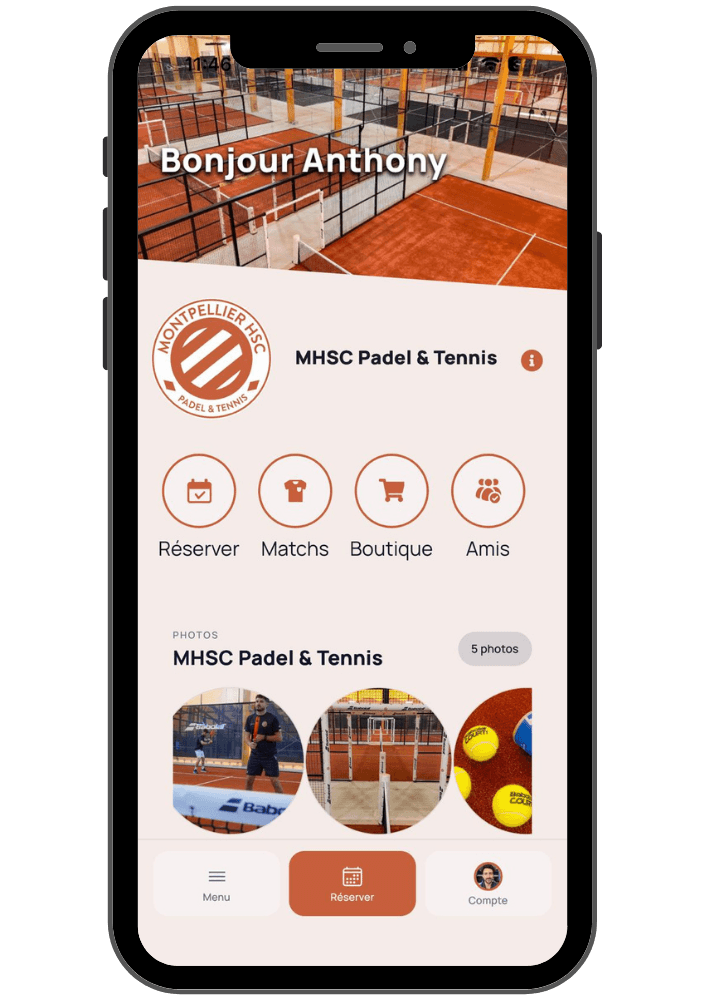
For instance, a custom mobile app branded to your club ensures your brand is front and center with every booking, notification, and member interaction.
5. Your software can't keep up with your club's growth
Operating three courts requires different tools than managing twelve.
And your needs will evolve even faster if you open a second location or expand into multi-sport offerings: padel, tennis, squash, pickleball, fitness, and more.
Your software must be able to support this growth scale without forcing you to completely rebuild your operational processes at every milestone.
For multi-club operators and groups, centralized data and multi-site management become mission-critical features.
6. You want to automate your club operations
Many tasks that previously required a physical presence can now be automated.
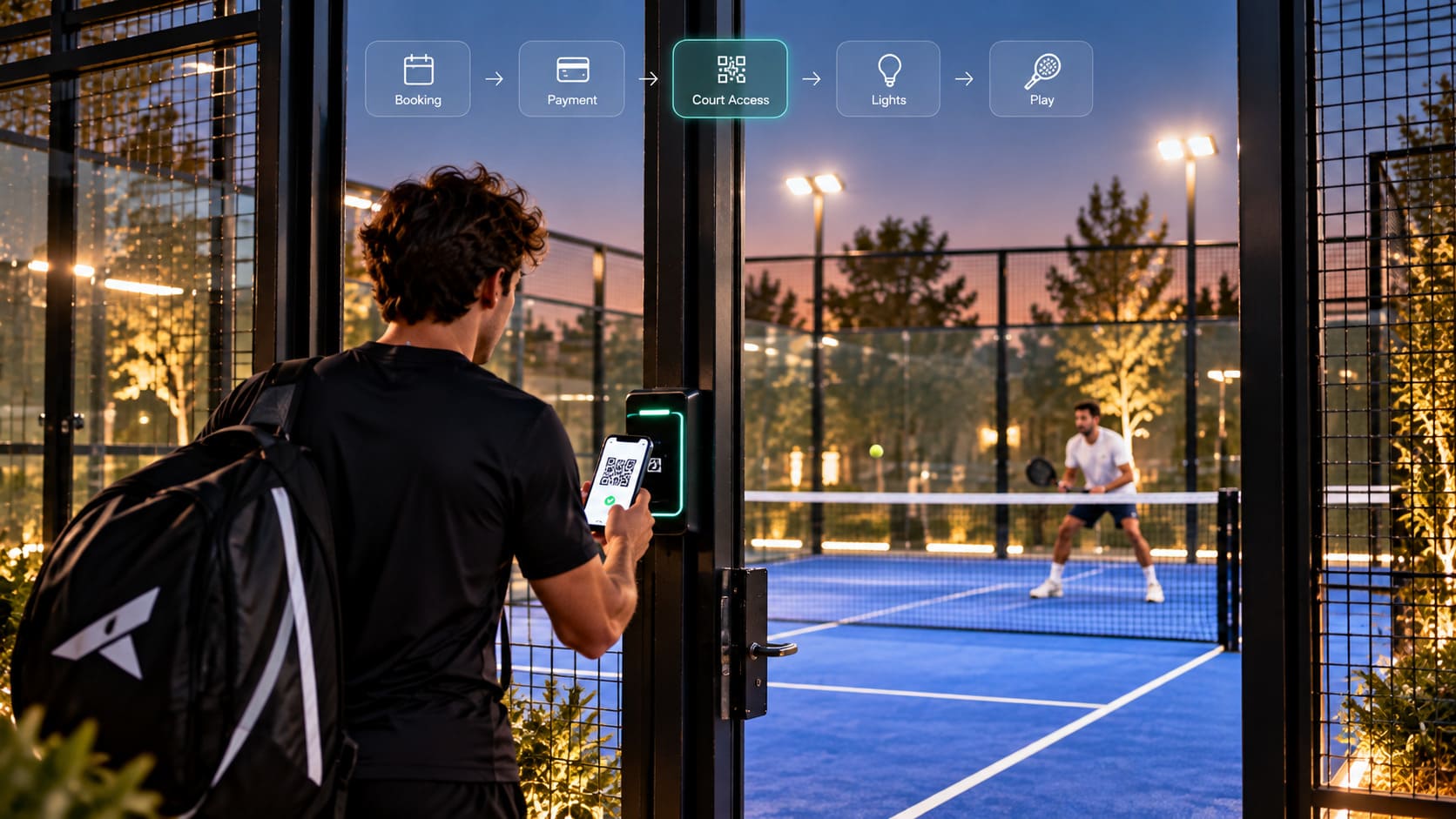
Bookings, payments, access control, and smart lighting can all work in sync.
For clubs looking to extend opening hours or reduce front-desk staffing costs, transitioning to autonomous padel courts can completely optimize your business model.
To achieve this, however, your club management system must integrate seamlessly with these automated hardware solutions.
7. You feel like you are adapting your club to fit your software
This is perhaps the most telling sign of all.
Your software should adapt to your club's rules: pricing tiers, memberships, schedules, payment methods, access rights, activities, and internal workflows.
When you start changing how your club operates simply because your software cannot handle your business rules, it is time to explore other options.
Can you switch padel club software without losing your data?
This is usually the biggest concern for club managers when considering a migration.
And it is entirely valid.
After years of operation, your software holds hundreds or even thousands of player profiles, along with critical financial and booking data essential to your daily business.
The question shouldn't just be:
“Which software is the best?”
But rather:
“How do I transition from my current system to the new one without starting from scratch?”
The answer depends on the export capabilities of your current system, and the import and onboarding process offered by your new software provider.
Key data to identify before launching a migration
Before making any moves, compile a list of all critical data stored in your current system:
Data Category | What to Verify Before Migration |
|---|---|
Player Database | First name, last name, email, phone number, and other custom fields |
Memberships / Subscriptions | Plans, status, start and expiration dates |
Credits / Packages | Remaining balances and associated booking rules |
Future Bookings | Export capabilities and how they will be imported into the new schedule |
Pricing Setup | Peak hours, off-peak hours, member vs. guest pricing |
Historical Data | How much historical data is available and how much needs to be kept |
Payments | Financial records needed for accounting and tax reconciliation |
Access Control | Keycards, PIN codes, or hardware integrations linked to the software |
Activities | Coaching clinics, youth camps, tournaments, social events, and other activities |
Not all of this data will be migrated the same way.
Some can be imported automatically, other items will require reconfiguration, and some historical logs may simply need to be archived.
This is exactly why the migration process should be audited before you cancel your current contract.
Doinsport assists clubs through their migration from legacy systems, handling the transition of compatible data like customer databases and active memberships.
👉 Discover Doinsport's Onboarding and Support Services
How to prepare your club for a software migration
The best migration is one your players barely even notice.
To achieve this, avoid rushed, overnight weekend launches. A structured approach is key.
Here is a typical step-by-step roadmap.
Step 1 — Audit your current club operations
Before looking at software settings, document your core operating rules:
Opening hours;
Court booking slots (60, 90, 120 mins);
Pricing structures;
Member vs. guest rates;
Peak and off-peak hours;
Memberships & packages;
Prepaid credits or bundles;
Cancellation policies;
Booking restrictions;
Activities and tournament setups;
Accepted payment methods;
Access control systems;
Staff access and permissions.
This step is also a great opportunity to identify bad habits inherited from your legacy software.
A migration is the perfect time to simplify and optimize your rules rather than copying over outdated, complex workflows.
Step 2 — Export and secure your data
Never cancel your existing software contract until you have verified exactly what data can be exported.
Request all available CSV/Excel exports and secure a copy of your critical business data.
This serves a dual purpose:
Preparing files to be imported into the new system;
Keeping a secure archive for future reference.
Step 3 — Configure your new club software
Before inviting your players, your new platform environment must be fully set up.
This setup includes:
Court and facility setup;
Schedules and opening times;
Pricing grids and rules;
Membership packages;
Staff user accounts;
Booking and cancellation policies;
Online payment gateway integration;
Smart automated access integrations;
Custom app branding and customization;
Staff roles and permissions.
Test the system thoroughly, both from the manager’s back-office and from the player's mobile perspective.
Step 4 — Import compatible data
Once the environment is set up, your existing player base can be imported based on the technical capabilities of both systems.
This is where having a dedicated onboarding manager from your new software provider makes all the difference.
Don't just compare features when choosing a vendor.
Ask them:
“Who will actually support and guide me through the onboarding and migration process?”
Step 5 — Run user acceptance tests before the launch
Before rolling out the system to all your players, run complete test scenarios:
Creating and logging into a player account;
Booking a court on the schedule;
Processing an online payment;
Canceling a reservation;
Using a membership to book;
Using prepaid credits;
Receiving booking confirmations;
Verifying automated court access if integrated.
Ideally, have a few trusted members who are unfamiliar with the new system test this flow.
What seems straightforward to a club manager might not always be intuitive for a casual player.
How long does it take to switch software?
There is no single answer to this question.
It depends heavily on your club's size, the number of activities, data cleanliness, and the complexity of your booking and pricing rules.
However, a typical transition can be structured around key phases.
A few weeks before the switch
This is the time to:
Finalize your contract with the new provider;
Collect and organize your data;
Export your database;
Set up and configure the new platform;
Draft your launch communication campaign.
Right before going live to players
Verify pricing rules, future bookings, memberships, access control integrations, and various payment test scenarios.
Ensure your staff is fully trained on the new system so they can confidently assist players on day one.
At launch
Communicate clearly and proactively.
Players need to know:
What is changing;
The exact date of the transition;
What actions they need to take;
Where to download the new app or log in;
Who to contact if they need assistance.
Post-launch
Closely monitor the system during the first few days for:
Pending player account activations;
Login or password reset issues;
Any booking system discrepancies;
Membership setup errors;
Frequently asked questions.
You can then adjust your user guides and communications based on real player feedback.
How to drive player adoption for your new mobile app
A technically flawless migration can still struggle if players aren't properly onboarded.
Communication is a critical part of your software roll-out plan.
Give players advance notice
Sending a notice a few days before launch prevents surprise and confusion.
Highlight how this change benefits the players:
A simpler, faster booking experience;
A modern, intuitive mobile app;
Easier tracking of bookings and credits;
Seamless online payments;
Access to new club features and programs;
Direct communication with the club.
Leverage multiple communication channels
Not all players read every email.
To maximize reach, use multiple touchpoints:
Email campaigns;
SMS notifications;
Social media updates;
On-site signage throughout the club;
QR codes at the front desk;
Push notifications via your old system (if supported);
Direct team-to-player conversations.
Turn the software switch into a branding milestone
If your club is moving from a generic platform to your own branded app, celebrate this milestone.
Your logo, brand colors, club news, bookings, pro shop, and messaging can now live in an environment that you fully own.
Learn more about how a custom white-label app for padel clubs can elevate your brand.
How to choose your next padel club management system
If you make the decision to switch, you want to choose a platform that scales with you for years to come.
Don't just buy for the features you need today.
Think about where your club business is heading.
Here are the core criteria you should compare:
Booking engine and scheduling
Your software must allow you to precisely customize court scheduling rules and manage all reservations easily.
To learn more, explore the features of a robust padel club booking software.
Payments and POS
Verify supported payment methods, online and on-site checkout options, pre-authorizations or deposit options, and how the platform connects with your front-desk POS system.
Member Management (CRM)
Your player database should be easy to segment so you can manage member tiers, access rights, subscription plans, and player communications effortlessly.
Mobile App
Consider whether players will book through a generic, shared marketplace app or through a dedicated app built specifically for your club.
Your custom mobile app is your strongest touchpoint for customer loyalty and brand identity.
Marketing and Communication
Can you automatically notify players when a court slot opens up?
Promote an upcoming tournament?
Target inactive members with custom offers?
Communicate with participants of specific clinics?
Centralizing player data makes executing these marketing actions incredibly easy.
Access Control and Automation
If you want to move toward a more automated, low-overhead model now or in the future, ensure your software seamlessly syncs bookings with access gates and court lights.
👉 See how automated, smart padel courts work
Multi-Sport and Multi-Site Management
Will your facility only offer padel?
Are you adding tennis, pickleball, squash, or other sports?
Are you planning to open a second location?
Choosing a platform that natively supports multi-sport and multi-site setups prevents you from having to migrate again when your business expands.
Onboarding and Customer Support
This is often overlooked during the sales process, yet it is the most critical element after you sign.
Ask very specific support questions:
Who will configure my account?
Who manages my data migration?
How is my team trained?
What is the response time if we face a system issue?
Do I get a dedicated account manager?
Finally, to compare the top options on the market, view our padel club management software comparison for 2026.
Leaving Playtomic: What should you prepare for?
Playtomic holds a prominent spot in the industry due to its large player network and international reach.
However, different club operators have different priorities.
Some clubs favor the visibility of a shared marketplace. Others prefer to focus on building their own brand, growing their direct customer database, and fully controlling their digital ecosystem.
Before leaving Playtomic or a similar platform, ask yourself:
What percentage of my bookings actually comes from their marketplace?
What would be the real impact on my new player acquisition?
Can I easily export my current player database?
How will I migrate my players over to my new club app?
Which core features do I absolutely need to retain?
Does my new software cover a broader range of my operational needs?
What level of migration support does my new provider offer?
The answer is different for every club.
A brand-new facility focusing heavily on initial visibility has different needs compared to an established club with thousands of loyal local players.
We have created a dedicated resource to guide you through this decision:
👉 Playtomic Alternatives: Which management software is right for your padel club?
How much does it cost to switch software platforms?
When comparing club management platforms, look beyond just the monthly subscription price.
The total cost of ownership (TCO) of software can include:
The monthly/annual software subscription fee;
Any booking or booking-system-related fees;
Payment processing commissions or transaction fees;
Hardware setup costs;
Mobile app development and publishing fees;
Add-on features or premium integrations;
Access control hardware and licensing;
POS hardware;
Implementation and data migration fees;
Your staff's time spent on manual administration.
But you also need to factor in the cost of your current operational inefficiencies.
If your current software forces you to pay for multiple tools, run manual workarounds, or tie up your staff with tasks that could be automated, the cheapest monthly invoice may actually be costing your club the most money.
The true calculation to look at is:
Platform Cost + Transaction/Add-on Fees + Admin Time Saved – Revenue Generated from automation and marketing features.
Doinsport offers flexible pricing plans tailored to your facility's profile, including solutions for non-profits, private clubs, and multi-location operators.
👉 View Doinsport Pricing Plans
Why centralize your club's management system?
Switching software is the perfect opportunity to optimize your entire club operations.
Siloed tools lead to fragmented data and reporting errors.
In contrast, integrating bookings, payments, member data, marketing, POS, and smart access control creates a frictionless player journey:
The player books → pays → receives booking confirmation → accesses the facility and court lights → all data updates instantly in your central database.
For your staff, this means far fewer manual inputs and a clearer, real-time overview of the business.
For your players, it means a modern, seamless experience.
This is the core philosophy behind the Doinsport all-in-one padel club management software.
Can Doinsport replace your current management software?
Doinsport is built to centralize the daily operational needs of padel, tennis, and racket sports clubs:
Seamless online booking;
Smart court scheduling;
Online and on-site payment processing;
Member database (CRM);
Memberships, subscriptions, and loyalty features;
Custom-branded club mobile apps;
Targeted member communications;
Unified front-desk POS system;
Pro shop and inventory management;
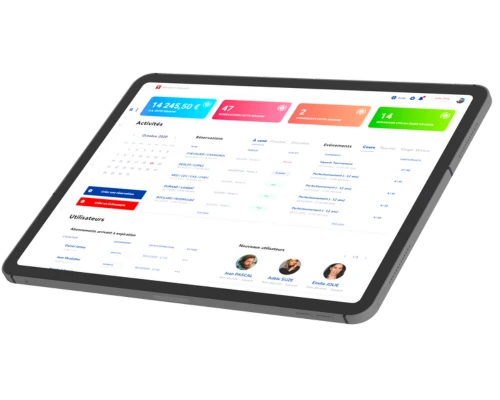
Real-time analytics and reporting;
Integrated smart access control;
Court lighting and automation;
Multi-sport and multi-location management.
However, choosing a new software system is more than just checking boxes on a features list.
The most important factor is ensuring the platform aligns with your club's specific business model and rules.
That is why we structure our product demos around how your club actually works: court count, player volume, membership structures, payment flows, integrations, and future growth plans.
Considering a switch? Start with a migration audit
You do not have to cancel your current software to find out if migrating is possible.
The first step is simply auditing your current setups and verifying your database exports.
This audit will help you map out:
What data can be cleanly imported;
What settings need to be customized;
The ideal timeframe for your system switch;
The specific features your business relies on;
How to smoothly transition your players over.
Doinsport supports clubs through every phase of this transition, minimizing friction for both your team and your players.
👉 Request a personalized demo and discuss your migration options
FAQ — Switching Padel Club Management Software
Can we switch club management software mid-season?
Yes. You don't have to wait until the end of the season to switch software. The best time to migrate depends on your current booking volumes, active memberships, and data status. While a slightly quieter season can make onboarding easier, a well-planned migration can be executed successfully at any point in the year without interrupting daily club operations.
Will I lose my player database if I switch software?
No. Retaining your player database depends on the export options of your current system and the import capabilities of your new platform. Before canceling any current contract, request a complete data export from your provider and have your new software onboarding team confirm its compatibility.
Can active player memberships be transferred to the new system?
Yes. Depending on the current database format, active memberships can be imported or re-established in the new system during setup. Doinsport assists clubs in mapping and importing active members and membership rules to ensure a seamless transition.
How should I inform players about a new club app?
Communicate proactively before you go live. Clearly explain the switch date, how they can log in, and the benefits of the new mobile app. Combine emails, SMS, social media updates, and on-site flyers with QR codes to drive high player adoption rates.
What is the best alternative to Playtomic for padel clubs?
It depends on your business goals. A club looking to leverage an open global marketplace has different requirements than a club aiming to build its own brand, own its customer data, and run highly automated, direct operations. Read our detailed breakdown of Playtomic alternatives.
Which software should I choose for my padel club?
The right software depends on your court count, multi-sport activities, booking configurations, payment processing setups, automation needs, and growth plans. Our best padel club software comparison guide analyzes leading solutions based on key operational criteria.
How much does padel club management software cost?
Pricing varies based on features, facility size, and transaction options. Compare monthly subscription plans alongside transaction commissions, hardware integration costs, and admin time requirements. You can view Doinsport's plans on our pricing page.
For a deeper dive, read our comprehensive analysis on padel club software pricing, transaction models, and hidden costs.
Does Doinsport assist with migrations from other software platforms?
Yes. Doinsport specializes in helping active clubs migrate from legacy software. We help configure your new platform, handle compatible data imports, and ensure a smooth transition for your staff and players.
Ready to upgrade your current software system?
Book a Doinsport demo today to discuss your current setup, database migration, and onboarding plan with one of our experts.
Is your current management software no longer meeting your club's needs? Are you looking to switch from Playtomic, Balle Jaune, Gestion Sports, or another solution to access more features, regain control over your player relationships, or simply save time on a daily basis?
Switching management software for a padel club can seem daunting. With player databases, memberships, bookings, payments, mobile apps, and member habits to consider, no manager wants to disrupt a smoothly running club operation.
Yet, with a well-planned migration and the right support, making the switch can be much simpler than it seems.
In this guide, we break down the key signs that it might be time to upgrade your management software, the data you need to prepare, the steps of a successful migration, and the criteria to evaluate before choosing your next solution.
Are you still in the comparison phase? Check out our comparison of the best padel club management software in 2026.
7 signs it might be time to switch management software
Changing software just because a new tool looks more modern doesn't make much sense.
However, some issues can start having a real impact on club operations, player experience, or overall profitability.
1. You are juggling too many different software tools to run your club
One tool for court bookings. Another for payments. An Excel spreadsheet for specific member data. A separate POS software at the front desk. WhatsApp or other platforms to communicate with players.
Individually, each solution might work. The issue arises when your staff has to constantly switch between them.
Information becomes siloed, tasks are duplicated, and it gets increasingly difficult to obtain a clear, comprehensive overview of your club's performance.
A modern padel club management software should instead centralize bookings, payments, member management, communication, POS, and club analytics in one place.
2. Your current software is wasting your team's time daily
A great software solution should eliminate administrative overhead, not create it.
If your team still has to manually verify payments, adjust bookings, track player credits, look up member details, or compile financial reports, you need to calculate how much time is actually being wasted each week.
A few minutes spent on repetitive tasks dozens of times a day can quickly add up to hours of lost productivity.
3. The booking experience no longer meets player expectations
Player expectations have evolved significantly.
They want to view real-time court availability, book a court, pay, use their credits, or manage their memberships directly from their smartphones, without having to call the club.
The booking flow must be seamless, whether for a regular player or someone discovering your facility for the first time.
An intuitive online booking system for padel clubs is no longer just a nice-to-have feature: it is an essential part of the modern player experience.
4. You don't fully own your relationship with your players
This is an incredibly crucial point.
Who truly owns the relationship with your players: your club, or the third-party platform they use to book?
To build a strong brand, foster a loyal community, and communicate directly with your audience, your club must have full access to its player database and own its communication channels.
For instance, a custom mobile app branded to your club ensures your brand is front and center with every booking, notification, and member interaction.
5. Your software can't keep up with your club's growth
Operating three courts requires different tools than managing twelve.
And your needs will evolve even faster if you open a second location or expand into multi-sport offerings: padel, tennis, squash, pickleball, fitness, and more.
Your software must be able to support this growth scale without forcing you to completely rebuild your operational processes at every milestone.
For multi-club operators and groups, centralized data and multi-site management become mission-critical features.
6. You want to automate your club operations
Many tasks that previously required a physical presence can now be automated.
Bookings, payments, access control, and smart lighting can all work in sync.
For clubs looking to extend opening hours or reduce front-desk staffing costs, transitioning to autonomous padel courts can completely optimize your business model.
To achieve this, however, your club management system must integrate seamlessly with these automated hardware solutions.
7. You feel like you are adapting your club to fit your software
This is perhaps the most telling sign of all.
Your software should adapt to your club's rules: pricing tiers, memberships, schedules, payment methods, access rights, activities, and internal workflows.
When you start changing how your club operates simply because your software cannot handle your business rules, it is time to explore other options.
Can you switch padel club software without losing your data?
This is usually the biggest concern for club managers when considering a migration.
And it is entirely valid.
After years of operation, your software holds hundreds or even thousands of player profiles, along with critical financial and booking data essential to your daily business.
The question shouldn't just be:
“Which software is the best?”
But rather:
“How do I transition from my current system to the new one without starting from scratch?”
The answer depends on the export capabilities of your current system, and the import and onboarding process offered by your new software provider.
Key data to identify before launching a migration
Before making any moves, compile a list of all critical data stored in your current system:
Data Category | What to Verify Before Migration |
|---|---|
Player Database | First name, last name, email, phone number, and other custom fields |
Memberships / Subscriptions | Plans, status, start and expiration dates |
Credits / Packages | Remaining balances and associated booking rules |
Future Bookings | Export capabilities and how they will be imported into the new schedule |
Pricing Setup | Peak hours, off-peak hours, member vs. guest pricing |
Historical Data | How much historical data is available and how much needs to be kept |
Payments | Financial records needed for accounting and tax reconciliation |
Access Control | Keycards, PIN codes, or hardware integrations linked to the software |
Activities | Coaching clinics, youth camps, tournaments, social events, and other activities |
Not all of this data will be migrated the same way.
Some can be imported automatically, other items will require reconfiguration, and some historical logs may simply need to be archived.
This is exactly why the migration process should be audited before you cancel your current contract.
Doinsport assists clubs through their migration from legacy systems, handling the transition of compatible data like customer databases and active memberships.
👉 Discover Doinsport's Onboarding and Support Services
How to prepare your club for a software migration
The best migration is one your players barely even notice.
To achieve this, avoid rushed, overnight weekend launches. A structured approach is key.
Here is a typical step-by-step roadmap.
Step 1 — Audit your current club operations
Before looking at software settings, document your core operating rules:
Opening hours;
Court booking slots (60, 90, 120 mins);
Pricing structures;
Member vs. guest rates;
Peak and off-peak hours;
Memberships & packages;
Prepaid credits or bundles;
Cancellation policies;
Booking restrictions;
Activities and tournament setups;
Accepted payment methods;
Access control systems;
Staff access and permissions.
This step is also a great opportunity to identify bad habits inherited from your legacy software.
A migration is the perfect time to simplify and optimize your rules rather than copying over outdated, complex workflows.
Step 2 — Export and secure your data
Never cancel your existing software contract until you have verified exactly what data can be exported.
Request all available CSV/Excel exports and secure a copy of your critical business data.
This serves a dual purpose:
Preparing files to be imported into the new system;
Keeping a secure archive for future reference.
Step 3 — Configure your new club software
Before inviting your players, your new platform environment must be fully set up.
This setup includes:
Court and facility setup;
Schedules and opening times;
Pricing grids and rules;
Membership packages;
Staff user accounts;
Booking and cancellation policies;
Online payment gateway integration;
Smart automated access integrations;
Custom app branding and customization;
Staff roles and permissions.
Test the system thoroughly, both from the manager’s back-office and from the player's mobile perspective.
Step 4 — Import compatible data
Once the environment is set up, your existing player base can be imported based on the technical capabilities of both systems.
This is where having a dedicated onboarding manager from your new software provider makes all the difference.
Don't just compare features when choosing a vendor.
Ask them:
“Who will actually support and guide me through the onboarding and migration process?”
Step 5 — Run user acceptance tests before the launch
Before rolling out the system to all your players, run complete test scenarios:
Creating and logging into a player account;
Booking a court on the schedule;
Processing an online payment;
Canceling a reservation;
Using a membership to book;
Using prepaid credits;
Receiving booking confirmations;
Verifying automated court access if integrated.
Ideally, have a few trusted members who are unfamiliar with the new system test this flow.
What seems straightforward to a club manager might not always be intuitive for a casual player.
How long does it take to switch software?
There is no single answer to this question.
It depends heavily on your club's size, the number of activities, data cleanliness, and the complexity of your booking and pricing rules.
However, a typical transition can be structured around key phases.
A few weeks before the switch
This is the time to:
Finalize your contract with the new provider;
Collect and organize your data;
Export your database;
Set up and configure the new platform;
Draft your launch communication campaign.
Right before going live to players
Verify pricing rules, future bookings, memberships, access control integrations, and various payment test scenarios.
Ensure your staff is fully trained on the new system so they can confidently assist players on day one.
At launch
Communicate clearly and proactively.
Players need to know:
What is changing;
The exact date of the transition;
What actions they need to take;
Where to download the new app or log in;
Who to contact if they need assistance.
Post-launch
Closely monitor the system during the first few days for:
Pending player account activations;
Login or password reset issues;
Any booking system discrepancies;
Membership setup errors;
Frequently asked questions.
You can then adjust your user guides and communications based on real player feedback.
How to drive player adoption for your new mobile app
A technically flawless migration can still struggle if players aren't properly onboarded.
Communication is a critical part of your software roll-out plan.
Give players advance notice
Sending a notice a few days before launch prevents surprise and confusion.
Highlight how this change benefits the players:
A simpler, faster booking experience;
A modern, intuitive mobile app;
Easier tracking of bookings and credits;
Seamless online payments;
Access to new club features and programs;
Direct communication with the club.
Leverage multiple communication channels
Not all players read every email.
To maximize reach, use multiple touchpoints:
Email campaigns;
SMS notifications;
Social media updates;
On-site signage throughout the club;
QR codes at the front desk;
Push notifications via your old system (if supported);
Direct team-to-player conversations.
Turn the software switch into a branding milestone
If your club is moving from a generic platform to your own branded app, celebrate this milestone.
Your logo, brand colors, club news, bookings, pro shop, and messaging can now live in an environment that you fully own.
Learn more about how a custom white-label app for padel clubs can elevate your brand.
How to choose your next padel club management system
If you make the decision to switch, you want to choose a platform that scales with you for years to come.
Don't just buy for the features you need today.
Think about where your club business is heading.
Here are the core criteria you should compare:
Booking engine and scheduling
Your software must allow you to precisely customize court scheduling rules and manage all reservations easily.
To learn more, explore the features of a robust padel club booking software.
Payments and POS
Verify supported payment methods, online and on-site checkout options, pre-authorizations or deposit options, and how the platform connects with your front-desk POS system.
Member Management (CRM)
Your player database should be easy to segment so you can manage member tiers, access rights, subscription plans, and player communications effortlessly.
Mobile App
Consider whether players will book through a generic, shared marketplace app or through a dedicated app built specifically for your club.
Your custom mobile app is your strongest touchpoint for customer loyalty and brand identity.
Marketing and Communication
Can you automatically notify players when a court slot opens up?
Promote an upcoming tournament?
Target inactive members with custom offers?
Communicate with participants of specific clinics?
Centralizing player data makes executing these marketing actions incredibly easy.
Access Control and Automation
If you want to move toward a more automated, low-overhead model now or in the future, ensure your software seamlessly syncs bookings with access gates and court lights.
👉 See how automated, smart padel courts work
Multi-Sport and Multi-Site Management
Will your facility only offer padel?
Are you adding tennis, pickleball, squash, or other sports?
Are you planning to open a second location?
Choosing a platform that natively supports multi-sport and multi-site setups prevents you from having to migrate again when your business expands.
Onboarding and Customer Support
This is often overlooked during the sales process, yet it is the most critical element after you sign.
Ask very specific support questions:
Who will configure my account?
Who manages my data migration?
How is my team trained?
What is the response time if we face a system issue?
Do I get a dedicated account manager?
Finally, to compare the top options on the market, view our padel club management software comparison for 2026.
Leaving Playtomic: What should you prepare for?
Playtomic holds a prominent spot in the industry due to its large player network and international reach.
However, different club operators have different priorities.
Some clubs favor the visibility of a shared marketplace. Others prefer to focus on building their own brand, growing their direct customer database, and fully controlling their digital ecosystem.
Before leaving Playtomic or a similar platform, ask yourself:
What percentage of my bookings actually comes from their marketplace?
What would be the real impact on my new player acquisition?
Can I easily export my current player database?
How will I migrate my players over to my new club app?
Which core features do I absolutely need to retain?
Does my new software cover a broader range of my operational needs?
What level of migration support does my new provider offer?
The answer is different for every club.
A brand-new facility focusing heavily on initial visibility has different needs compared to an established club with thousands of loyal local players.
We have created a dedicated resource to guide you through this decision:
👉 Playtomic Alternatives: Which management software is right for your padel club?
How much does it cost to switch software platforms?
When comparing club management platforms, look beyond just the monthly subscription price.
The total cost of ownership (TCO) of software can include:
The monthly/annual software subscription fee;
Any booking or booking-system-related fees;
Payment processing commissions or transaction fees;
Hardware setup costs;
Mobile app development and publishing fees;
Add-on features or premium integrations;
Access control hardware and licensing;
POS hardware;
Implementation and data migration fees;
Your staff's time spent on manual administration.
But you also need to factor in the cost of your current operational inefficiencies.
If your current software forces you to pay for multiple tools, run manual workarounds, or tie up your staff with tasks that could be automated, the cheapest monthly invoice may actually be costing your club the most money.
The true calculation to look at is:
Platform Cost + Transaction/Add-on Fees + Admin Time Saved – Revenue Generated from automation and marketing features.
Doinsport offers flexible pricing plans tailored to your facility's profile, including solutions for non-profits, private clubs, and multi-location operators.
👉 View Doinsport Pricing Plans
Why centralize your club's management system?
Switching software is the perfect opportunity to optimize your entire club operations.
Siloed tools lead to fragmented data and reporting errors.
In contrast, integrating bookings, payments, member data, marketing, POS, and smart access control creates a frictionless player journey:
The player books → pays → receives booking confirmation → accesses the facility and court lights → all data updates instantly in your central database.
For your staff, this means far fewer manual inputs and a clearer, real-time overview of the business.
For your players, it means a modern, seamless experience.
This is the core philosophy behind the Doinsport all-in-one padel club management software.
Can Doinsport replace your current management software?
Doinsport is built to centralize the daily operational needs of padel, tennis, and racket sports clubs:
Seamless online booking;
Smart court scheduling;
Online and on-site payment processing;
Member database (CRM);
Memberships, subscriptions, and loyalty features;
Custom-branded club mobile apps;
Targeted member communications;
Unified front-desk POS system;
Pro shop and inventory management;
Real-time analytics and reporting;
Integrated smart access control;
Court lighting and automation;
Multi-sport and multi-location management.
However, choosing a new software system is more than just checking boxes on a features list.
The most important factor is ensuring the platform aligns with your club's specific business model and rules.
That is why we structure our product demos around how your club actually works: court count, player volume, membership structures, payment flows, integrations, and future growth plans.
Considering a switch? Start with a migration audit
You do not have to cancel your current software to find out if migrating is possible.
The first step is simply auditing your current setups and verifying your database exports.
This audit will help you map out:
What data can be cleanly imported;
What settings need to be customized;
The ideal timeframe for your system switch;
The specific features your business relies on;
How to smoothly transition your players over.
Doinsport supports clubs through every phase of this transition, minimizing friction for both your team and your players.
👉 Request a personalized demo and discuss your migration options
FAQ — Switching Padel Club Management Software
Can we switch club management software mid-season?
Yes. You don't have to wait until the end of the season to switch software. The best time to migrate depends on your current booking volumes, active memberships, and data status. While a slightly quieter season can make onboarding easier, a well-planned migration can be executed successfully at any point in the year without interrupting daily club operations.
Will I lose my player database if I switch software?
No. Retaining your player database depends on the export options of your current system and the import capabilities of your new platform. Before canceling any current contract, request a complete data export from your provider and have your new software onboarding team confirm its compatibility.
Can active player memberships be transferred to the new system?
Yes. Depending on the current database format, active memberships can be imported or re-established in the new system during setup. Doinsport assists clubs in mapping and importing active members and membership rules to ensure a seamless transition.
How should I inform players about a new club app?
Communicate proactively before you go live. Clearly explain the switch date, how they can log in, and the benefits of the new mobile app. Combine emails, SMS, social media updates, and on-site flyers with QR codes to drive high player adoption rates.
What is the best alternative to Playtomic for padel clubs?
It depends on your business goals. A club looking to leverage an open global marketplace has different requirements than a club aiming to build its own brand, own its customer data, and run highly automated, direct operations. Read our detailed breakdown of Playtomic alternatives.
Which software should I choose for my padel club?
The right software depends on your court count, multi-sport activities, booking configurations, payment processing setups, automation needs, and growth plans. Our best padel club software comparison guide analyzes leading solutions based on key operational criteria.
How much does padel club management software cost?
Pricing varies based on features, facility size, and transaction options. Compare monthly subscription plans alongside transaction commissions, hardware integration costs, and admin time requirements. You can view Doinsport's plans on our pricing page.
For a deeper dive, read our comprehensive analysis on padel club software pricing, transaction models, and hidden costs.
Does Doinsport assist with migrations from other software platforms?
Yes. Doinsport specializes in helping active clubs migrate from legacy software. We help configure your new platform, handle compatible data imports, and ensure a smooth transition for your staff and players.
Ready to upgrade your current software system?
Book a Doinsport demo today to discuss your current setup, database migration, and onboarding plan with one of our experts.
Similar articles
Oct 14, 2026
How Does Access Control Work for Padel Clubs? QR Codes, RFID, Smart Locks, Court Lighting, and Bookings Explained.

Oct 1, 2026
How to Drive Player Retention at Your Padel Club: Discover 10 Proven Strategies to Boost Court Bookings, Re-engage Members, and Grow Your Revenue.

See Doinsport in action
Ready to grow your padel or tennis club?
Join over 1,000 clubs that run on Doinsport. Book a free demo and see what it can do for your club.
We're here to help.



See Doinsport in action
Ready to grow your padel or tennis club?
Join over 1,000 clubs that run on Doinsport. Book a free demo and see what it can do for your club.
See Doinsport in action
Ready to grow your padel or tennis club?
Join over 1,000 clubs that run on Doinsport. Book a free demo and see what it can do for your club.
We're here to help.