

EN
Doinsport Software Product Updates: Week of October 9

This week, three key modules have been updated simultaneously: the Advanced Customization extension, the back-office customer profile, and the mobile app. Here is an overview of what's new for your club and your players.
Advanced Customization Extension Upgrades to v5.68.0
The Chrome extension that tailors your back-office gets its biggest update yet. No action is required on your end: Chrome updates it automatically.
Faster, Smoother Schedule Management
The date picker has been redesigned. "Today" is now clearly spelled out, and a "Jump to" button lets you skip ahead by a week, a month, 7 days, or 30 days without browsing through the calendar.
The filtering logic has also been enhanced. All your sports activities now appear as tags, and a "Filters" button allows you to filter by indoor/outdoor environment, lighting, and court surface. Each option displays the number of remaining courts in real time, so you instantly see the impact of your filter. The occupancy rate dynamically adapts to your selection, recalculating based only on the courts currently displayed rather than the entire facility.
Comprehensive Custom Theming
Enjoy a brand-new icon set in the left navigation menu, fully aligned with your club's brand colors. More importantly, forms, modals, and notifications now seamlessly reflect your theme across the board—including in dark mode. Additionally, all text generated by the extension is fully translated across 6 languages.
Clearer, More Actionable Tables
Action buttons now display tooltips on hover to explain their function, maintaining a consistent order from row to row. You can click directly on any row to view details and enable alternating row colors for improved readability. The refund button is also back and visible across all settings.
Dedicated Access Control Section
You can now customize exactly where badge scan cards appear and choose their display colors.
Two useful safeguards: the "Beta" tag next to filters lets you revert to standard filters in a single click, while "Disabled" mode instantly restores the original native view as if the extension were not installed.
Install or check the extension on the Chrome Web Store
Back-Office Customer Profiles
Customer profiles now include three valuable daily operational insights.
You can now see directly on the profile whether a customer has an active mobile app account. No more second-guessing whether you can reach them via push notification.
Under payments, the transaction timestamp and booking time are displayed side by side—ideal for quickly resolving payment disputes without switching between screens.
Finally, you can set the default tab that opens when accessing a customer profile. If your front desk team regularly checks bookings first, profiles can now open directly on the reservations tab.
Bug fixes & improvements: booking statuses now accurately reflect real-time payment states; the sidebar displays all of a customer's sports levels with the correct count; and only active memberships are shown. The Memberships and Orders sections are now only visible to clubs utilizing those specific modules. Manually typing a year into date fields has been restored, and you can once again link a family member without assigning them a user role.
The Mobile App
Real-Time Push Notifications
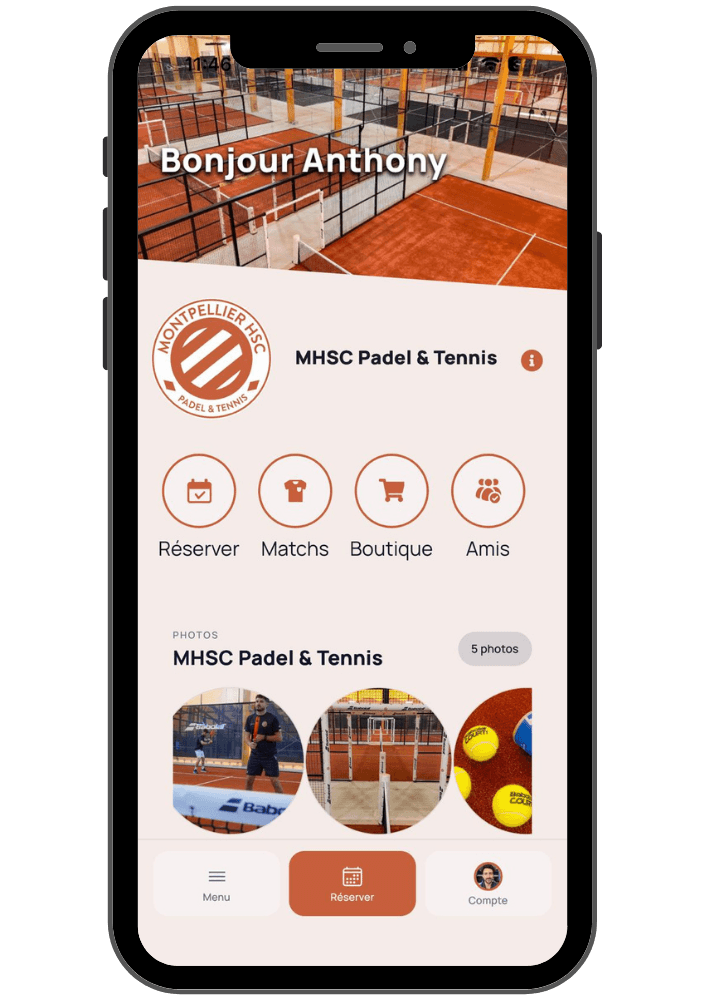
The mobile app now processes push notifications directly without relying on third-party routing. When a notification arrives while a player is using the app, a banner customized with your club's colors appears at the top of the screen, featuring a "View" button that links directly to the relevant match, booking, or club page.
Casual vs. Ranked Matches
When creating an open match, players can now mark it as Ranked (for clubs operating on the updated level rating system). A ranked match is restricted to players with an established rating, cannot be set to private, and features a distinct badge. This setting is locked once the match is published.
The match creation flow has also been optimized: if the submit button remains disabled, it now clearly highlights what information is missing.
End-to-End Checkout Overhaul
This is the most substantial upgrade in this release, directly impacting your revenue generation.
The checkout screen for events and coaching sessions is no longer blank: it displays the selected payment method (credit card, Apple Pay, or Google Pay), and the CTA clearly shows the exact charge amount. For in-club E-Pay transactions, a loading screen is displayed until confirmation, duplicate charges are prevented, and detailed decline reasons are shown directly to the player. In split-payment scenarios, invited players can easily select "Pay with Wallet" prioritized ahead of credit card. Furthermore, membership payments via mobile web browsers no longer open blank tabs with Sogecommerce or Paybox.
Additional fixes: the mandatory update prompt has been restored on iOS and redirects seamlessly to the App Store, and the Events feed no longer flickers while loading.
How to Get Started
The Chrome extension and back-office update automatically with no action required from your team. For the mobile app, simply encourage your players to download the latest update from the App Store or Google Play Store.
Have questions about any of these features? Your dedicated Doinsport account manager is here to help.
This week, three key modules have been updated simultaneously: the Advanced Customization extension, the back-office customer profile, and the mobile app. Here is an overview of what's new for your club and your players.
Advanced Customization Extension Upgrades to v5.68.0
The Chrome extension that tailors your back-office gets its biggest update yet. No action is required on your end: Chrome updates it automatically.
Faster, Smoother Schedule Management
The date picker has been redesigned. "Today" is now clearly spelled out, and a "Jump to" button lets you skip ahead by a week, a month, 7 days, or 30 days without browsing through the calendar.
The filtering logic has also been enhanced. All your sports activities now appear as tags, and a "Filters" button allows you to filter by indoor/outdoor environment, lighting, and court surface. Each option displays the number of remaining courts in real time, so you instantly see the impact of your filter. The occupancy rate dynamically adapts to your selection, recalculating based only on the courts currently displayed rather than the entire facility.
Comprehensive Custom Theming
Enjoy a brand-new icon set in the left navigation menu, fully aligned with your club's brand colors. More importantly, forms, modals, and notifications now seamlessly reflect your theme across the board—including in dark mode. Additionally, all text generated by the extension is fully translated across 6 languages.
Clearer, More Actionable Tables
Action buttons now display tooltips on hover to explain their function, maintaining a consistent order from row to row. You can click directly on any row to view details and enable alternating row colors for improved readability. The refund button is also back and visible across all settings.
Dedicated Access Control Section
You can now customize exactly where badge scan cards appear and choose their display colors.
Two useful safeguards: the "Beta" tag next to filters lets you revert to standard filters in a single click, while "Disabled" mode instantly restores the original native view as if the extension were not installed.
Install or check the extension on the Chrome Web Store
Back-Office Customer Profiles
Customer profiles now include three valuable daily operational insights.
You can now see directly on the profile whether a customer has an active mobile app account. No more second-guessing whether you can reach them via push notification.
Under payments, the transaction timestamp and booking time are displayed side by side—ideal for quickly resolving payment disputes without switching between screens.
Finally, you can set the default tab that opens when accessing a customer profile. If your front desk team regularly checks bookings first, profiles can now open directly on the reservations tab.
Bug fixes & improvements: booking statuses now accurately reflect real-time payment states; the sidebar displays all of a customer's sports levels with the correct count; and only active memberships are shown. The Memberships and Orders sections are now only visible to clubs utilizing those specific modules. Manually typing a year into date fields has been restored, and you can once again link a family member without assigning them a user role.
The Mobile App
Real-Time Push Notifications
The mobile app now processes push notifications directly without relying on third-party routing. When a notification arrives while a player is using the app, a banner customized with your club's colors appears at the top of the screen, featuring a "View" button that links directly to the relevant match, booking, or club page.
Casual vs. Ranked Matches
When creating an open match, players can now mark it as Ranked (for clubs operating on the updated level rating system). A ranked match is restricted to players with an established rating, cannot be set to private, and features a distinct badge. This setting is locked once the match is published.
The match creation flow has also been optimized: if the submit button remains disabled, it now clearly highlights what information is missing.
End-to-End Checkout Overhaul
This is the most substantial upgrade in this release, directly impacting your revenue generation.
The checkout screen for events and coaching sessions is no longer blank: it displays the selected payment method (credit card, Apple Pay, or Google Pay), and the CTA clearly shows the exact charge amount. For in-club E-Pay transactions, a loading screen is displayed until confirmation, duplicate charges are prevented, and detailed decline reasons are shown directly to the player. In split-payment scenarios, invited players can easily select "Pay with Wallet" prioritized ahead of credit card. Furthermore, membership payments via mobile web browsers no longer open blank tabs with Sogecommerce or Paybox.
Additional fixes: the mandatory update prompt has been restored on iOS and redirects seamlessly to the App Store, and the Events feed no longer flickers while loading.
How to Get Started
The Chrome extension and back-office update automatically with no action required from your team. For the mobile app, simply encourage your players to download the latest update from the App Store or Google Play Store.
Have questions about any of these features? Your dedicated Doinsport account manager is here to help.
Similar articles
Oct 22, 2026
How much should you charge per hour for padel? 2026 market rates, peak vs. off-peak pricing, and memberships: the complete guide to setting your club's rates.

Oct 14, 2026
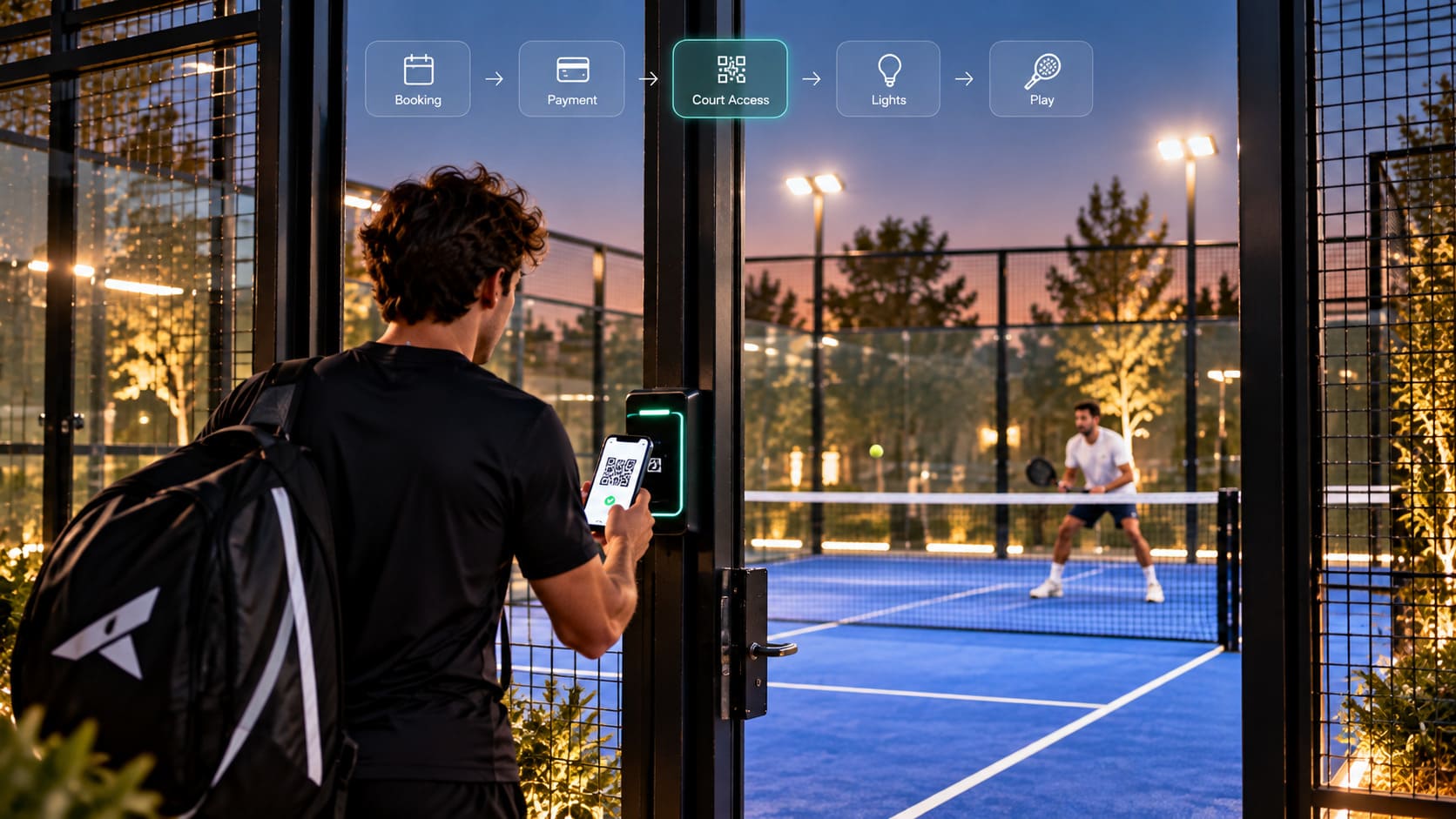
How Does Access Control Work for Padel Clubs? QR Codes, RFID, Smart Locks, Court Lighting, and Bookings Explained.
Oct 1, 2026
How to Drive Player Retention at Your Padel Club: Discover 10 Proven Strategies to Boost Court Bookings, Re-engage Members, and Grow Your Revenue.

See Doinsport in action
Ready to grow your padel or tennis club?
Join over 1,000 clubs that run on Doinsport. Book a free demo and see what it can do for your club.
We're here to help.


See Doinsport in action
Ready to grow your padel or tennis club?
Join over 1,000 clubs that run on Doinsport. Book a free demo and see what it can do for your club.
See Doinsport in action
Ready to grow your padel or tennis club?
Join over 1,000 clubs that run on Doinsport. Book a free demo and see what it can do for your club.
We're here to help.