

EN
EN
Tennis
Upgrading Your Tennis Club Management Software in 2026
How to switch your tennis club management software without losing data or disrupting your members: steps, migration, and best practices.

Switching systems when managing an established tennis club is a completely different challenge compared to launching a brand-new padel club. A new padel facility starts with a blank slate. On the other hand, a tennis club might have thirty or forty years of history, hundreds of members, an active tennis school, dedicated coaches, entire families registered for generations, and cash flow that relies heavily on an annual membership renewal drive.
This is why the very first question every club President asks, even before discussing software features, is: will I lose my member database?
The answer is no. And once this fear is laid to rest, the real challenge emerges—one that determines the success or failure of the project: how to seamlessly integrate association members with non-member public players, without making your existing members feel like they are being squeezed out of their own club.
This article addresses both of these topics, in that order.
Eight warning signs that it is time to upgrade your system
You want to open your courts to hourly bookings, but your current tool cannot process players who are not registered members. This is by far the number-one trigger for upgrading.
You want to automate court access using remotely controlled access systems and lighting, allowing you to extend opening hours without needing staff at the front desk.
You are juggling too many tools: using official federation software for licenses, a spreadsheet for membership fees, a paper notebook for the tennis school, and another file to track coach hours.
Your annual membership renewal drive takes weeks, relying on manual follow-ups and leaving unpaid balances that no one has the time to track.
Your members find booking difficult or simply don't use it because the booking experience is outdated compared to the modern apps they use in daily life.
Tennis school registrations are still handled via paper forms or spreadsheets, along with physical checks, manual Excel lists, and the inevitable double-bookings.
You cannot easily calculate what you owe your freelance coaches without manually reconstructing their hours at the end of each month.
Your software dictates your operations, instead of adapting to your club's specific rules, membership tiers, and internal bylaws.
If three or more of these situations sound familiar, the question is no longer whether you should switch, but when.
No, you will not lose your member database
This is the ultimate bottleneck, and it deserves a clear, concrete answer rather than vague promises.
What is migrated
Your entire member database and all associated data: contact details, membership tiers, family groupings, and license data. This is the most valuable asset, and reconstructing it manually would be impossible. This migration is fully included in our onboarding setup.
What is not migrated
Historical booking data. This is not migrated by default, which is a deliberate choice: once you make the switch, historical booking logs have almost no operational value, while migrating them heavily inflates and delays the project timeline.
If you have a strict administrative requirement to retain payment or booking history within the new system—for accounting audits or multi-year tracking—this can be handled as a custom add-on quote.
Your pre-cancellation checklist
Before terminating your current software subscription, ensure you can export the following data:
Data Set | Criticality Level | Export Location |
|---|---|---|
Full member database with contact info | Critical | Your current software, ADOC |
Membership tiers & statuses | Critical | Your current software |
Family groupings | High | Current software (often needs manual mapping) |
Active memberships and ongoing fees | High | Your current software |
Tennis school registrations | High | Usually managed in a spreadsheet |
Prepaid account balances and credits | High | Your current software |
Billing and invoice history | Medium | Your accounting system |
Booking history | Low | Rarely useful after switching |
Perform this audit before you cancel, not after. A club that cancels first only to find out they can no longer export their data is forced to manually re-enter hundreds of records.
A step-by-step guide to your migration
The average timeline is one month from contract signature to go-live.
Inventory. We map out what data you have, where it is stored, and in what format.
Export. The club exports its database from the current tool. You own your data; no software vendor can legally lock you out of it.
System Configuration. The most critical step that defines the success of your setup: configuring membership tiers, booking rules per tier, pricing, package offerings, and family discounts.
Import & Validation. We upload your database and perform sample checks before opening the system to your wider membership.
Real-world Testing. A small group of pilot members tests booking, paying, and cancelling before the official launch.
The one period to avoid for your migration
There is no single good or bad season. The only golden rule is: never migrate in the middle of your annual membership renewal drive.
Keep in mind, this timeline varies. While most clubs open renewals in September, many run registration drives for their tennis school in January or June.
The tennis dilemma: balancing members and public players on the same courts
This is where managing a tennis club differs entirely from a padel club.
A private padel club typically caters to pay-and-play public players booking slots by the hour. An association-run tennis club operates on a hybrid model: club members who pay an annual fee and rightly expect priority court access, alongside public players who pay per hour.
Avoiding friction between these two groups isn't a matter of goodwill. It is a matter of smart system configuration.
The three core booking rules you need
A professional management platform must allow you to calibrate booking privileges based on user status using three distinct features:
Advanced booking windows. How many days in advance a player can book. This is the most common and effective rule. Members might book 7, 15, or 30 days ahead, while public players are limited to 2 or 3 days. Result: members get first pick, and public players fill the gaps. Everyone wins.
Rolling booking windows. A variation of the above, where the booking window opens progressively day-by-day rather than in bulk, smoothing out the peak booking rush on Monday mornings.
Active booking quotas. How many active bookings a player can hold simultaneously. A member might be allowed multiple active bookings, while a guest is restricted to one. This prevents individuals from block-booking six slots and cancelling them last minute.
Applying targeted rules
Each booking rule can be customized, which is where tennis club management demands absolute precision:
apply to all players globally
apply to subscription-based club members only
apply to non-members, targeting your public pay-and-play players specifically
apply to specific membership packages (e.g., distinguishing an adult membership from a junior tier or off-peak leisure pass)
apply to specific membership statuses
Furthermore, each rule can be restricted by time slots and days of the week, as well as by sport and specific courts. For example, you can reserve Saturday mornings and weekday peak hours (6 PM - 9 PM) exclusively for members, while opening off-peak slots to public hourly rental. You can also dedicate two specific courts to members and open the rest to the public.
This level of control is what makes the difference between a profitable public booking strategy and a membership revolt at your next AGM.
Managing physical court access
This is a common operational hurdle, as public players do not have member badges. We offer two solutions:
Staffed reception desk, which remains the norm for many clubs. The front-desk system should instantly display the player’s ID, photo, membership status, and check-in history as they arrive, eliminating the need to search through paper binders.
Smart keypad integration, where the entry code is only valid for the duration of the booked slot. This allows for unstaffed operations without handing out permanent access codes to non-members.
This automated keypad mechanism is already a proven standard in modern padel clubs, making public bookings highly viable during evenings, early mornings, and Sundays.
The economics: the argument that wins over your board
Opening courts to non-members is often a political debate within the committee. Board members often fear a loss of club identity and overcrowded courts.
The most compelling argument is financial, and it is simple: membership fees rarely cover 100% of a club's operating costs. Even with external funding or subsidies, clubs are constantly seeking new revenue streams. Hourly court hire is an immediate, high-margin revenue source requiring zero extra investment.
The numbers speak for themselves
At ASPTT Marseille (René Magnac site), renting an indoor court costs €10 per hour. A public player booking once a week represents €520 per year in revenue for the club.
In comparison, an annual membership giving unlimited court access without hourly fees is priced at €350.
In other words, a regular pay-and-play guest generates more revenue for the club than an annual member, while filling slots that members leave unused.
The hidden benefit: healthier cash flow
There is a secondary, often overlooked benefit that is highly appealing to club treasurers.
Annual membership fees come in all at once. The club gets a massive cash injection at one point in the year, followed by eleven months of low revenue, while operating costs remain constant month-to-month.
Hourly rentals provide a steady, predictable stream of monthly revenue. For a club looking to balance its cash flow, this is a game-changing business model.
Memberships, families, and automated billing
Tennis clubs require a much more complex membership structure than typical pay-and-play facilities, with family accounts sitting at the center of operations.
Family units are created directly in the platform, with clear roles assigned to each member: primary account holder, partner, or child.
Discounts are calculated automatically based on rules set by your club. These can be based on family size, age, relationship, playing level, club tenure, or other criteria. You define the rule once, and the software applies it to every registration without manual intervention.
Invoices are sent to the primary family contact, rather than generating separate, confusing bills for three different children. This minor detail drastically reduces admin time for your club secretary.
Payment collection is automated via Stripe, handling secure online payments, installments, and payment tracking so your staff doesn't have to chase outstanding dues.
The power of automated renewals
For clubs with hundreds of families, the annual renewal drive is the most stressful administrative period of the year. With the right platform, this process is streamlined into four simple steps instead of weeks of manual data entry:
Bulk generation of renewal proposals, sent as one consolidated invoice per family rather than per person.
Club review, allowing staff to quickly adjust special cases as needed.
Member self-service, where members can approve, add or remove add-ons, or change packages directly from their member portal.
Online acceptance, signing, and payment, support for single or multi-installment payments.
Three key automated features save the most admin hours (and are often missed during software demos):
Automatic price adjustments when a child graduates to a different age bracket from one season to the next.
Prorated calculations when a member upgrades or changes their package mid-year.
Late fees and automatic court access suspension after a set deadline, shifting the burden of chasing late payments from awkward personal conversations to an automated system rule.
Advanced discounting tailored for tennis
Beyond standard family packages, tennis clubs have unique discounting models that generic booking platforms cannot handle: multi-child discounts, loyalty discounts based on decades of consecutive membership, guest passes bundled into memberships, or mid-season add-ons requiring staff approval.
This level of flexibility is what separates a dedicated club management platform from a generic reservation system.
Coaching, group classes, and tennis academies
Tennis clubs thrive on year-round structured programs—something rarely seen in the padel industry: adult clinics, junior programs, tennis academies, and holiday camps.
This is often the most time-consuming admin task: paper forms, checks, Excel sheets, back-and-forth emails about availability and levels, overbookings, and late payments.
Our Academy Module handles this entire lifecycle, built around three fully integrated layers.
Registration periods
This is the master setting. It defines when your members can sign up: automatic opening and closing dates and times.
Two specific features are crucial for tennis clubs:
Preview windows, letting members view available classes before registration actually opens, avoiding a blind rush and system overload on launch day.
Purchase limits per program, setting caps per member to prevent a single player from monopolizing multiple slots.
You can run multiple registration periods simultaneously, solving a classic challenge for multi-sport clubs: running tennis academy sign-ups alongside padel clinics with separate rules and calendars.
Course and group management
Each group or class is linked to a registration period, complete with a name, sport, description, image, capacity, price, and active dates (independent of registration dates).
Recurring schedules can be configured by day, start time, and duration. For example, a Wednesday 5 PM class running all season is set up once and populates automatically.
Access criteria: the ultimate tool for tennis academies
This feature eliminates registration errors. Access to any class can be restricted based on:
Age brackets, setting minimum and maximum ages (e.g., ages 10 to 13).
Playing level, from beginner to advanced.
Active membership requirements.
Required license or affiliation, such as a federation license.
These filters do more than just block incorrect sign-ups: they dynamically personalize the member portal. A parent will only see programs that match their child's age and level. This means fewer support queries and zero manual re-allocations for your staff.
The member experience
An automated Group Classes section appears in your club's app as soon as a program is published. Registration is entirely self-service, 24/7.
For family accounts, the checkout flow is tailored to the real-world needs of parents registering multiple children:
The parent selects which child they are registering.
The system displays only the classes compatible with that child's age, level, and membership.
They can repeat the process for another child without leaving the page.
A single cart centralizes all classes for the entire family, requiring just one checkout and payment.
For individual members, the profile selection step is skipped, displaying matching classes instantly.
The cart reserves the slot for 20 minutes to allow completion. Before payment, members must agree to terms and upload any required files, such as parental consent or medical certificates. For a tennis academy, this ensures all compliance documents are collected before day one.
Admin management
Real-time tracking of class occupancy with clear indicators (e.g., "3/4 spots filled") and automatic "Full" statuses.
Manual registration via the back-office, allowing staff to register players who call or book at the front desk.
Two-click class transfers, letting you move a student to a different group without having to cancel, refund, and re-register them.
CSV exports by class or program for easy attendance tracking and accounting.
A global dashboard filtered by period, sport, day, and registration status.
Salaried vs. freelance coaches
This is a common blind spot in general management tools, yet it is a core operational reality for tennis clubs.
Most clubs work with two distinct coach profiles:
Salaried coaches, whose hours are managed through standard payroll systems.
Freelance coaches, who invoice the club based on the actual hours of coaching delivered.
For freelancers, clubs need an objective, error-free log of hours worked. Without a dedicated tool, this leads to end-of-month spreadsheet reconciliation, which often causes discrepancies and disputes.
Doinsport lets you export this data into clean, ready-to-use reports and graphs: tracking total coaching hours by instructor, period, and class type. The club has clear visibility on costs, coaches have clear records of their hours, and monthly payments are processed with zero friction.
What federation software (Ten'Up/ADOC) does, and what it leaves out
This is an important point, as it is often the first objection raised by affiliated clubs.
All clubs affiliated with the federation are required to manage official player licenses and submit tournament results via ADOC and Ten'Up. This is mandatory, and adopting a modern management platform does not change this. These tools remain essential.
However, federation tools do not handle public hourly court booking, automated physical access control, complex family membership billing, or freelance coach hour tracking.
This is why forward-thinking clubs use Doinsport alongside federation tools to modernize their daily operations.
The question of double-entry
With federation API integrations evolving, future updates will continue to streamline data sharing. In the meantime, any double-entry is strictly limited to license generation, while all daily operations, bookings, and payments run seamlessly on Doinsport.
Upgrading from Balle Jaune
Balle Jaune has historically been widely used in French tennis, primarily because it excels at its core focus: basic member-to-member court bookings. Many clubs have used it for years without needing to switch.
The need to upgrade arises when a club wants to expand beyond basic member bookings.
Three structural differences to consider:
Functional scope. Balle Jaune covers court bookings. It does not support public pay-and-play with advanced rules, annual group programs, holiday camps, private coaching schedules, tournaments, events, or advanced multi-tier memberships.
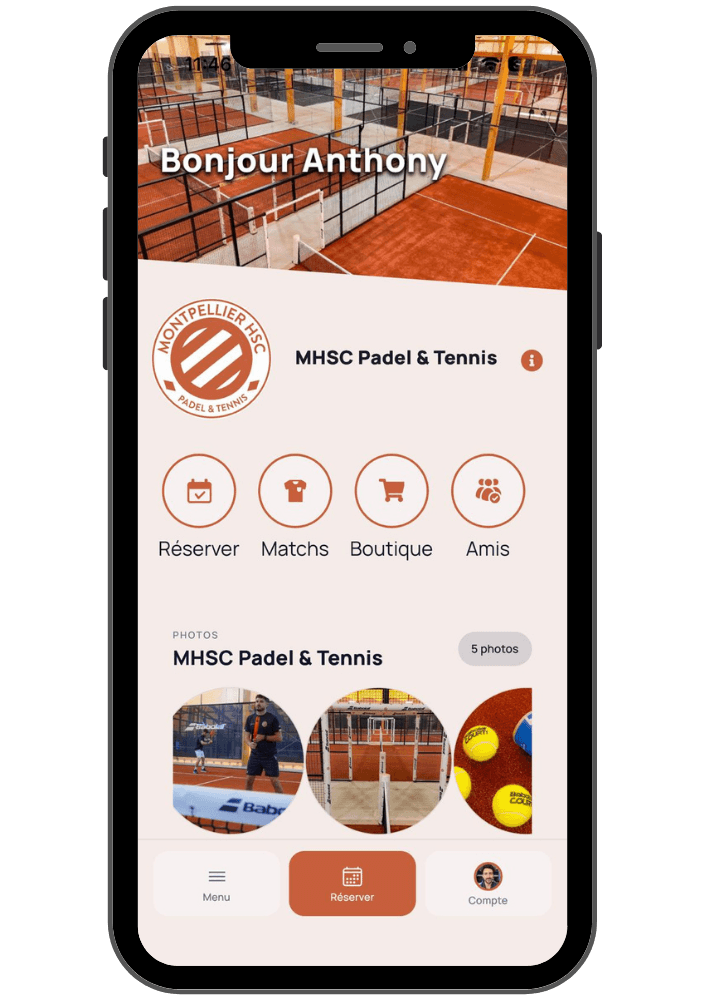
Mobile experience. Balle Jaune runs as a web-based portal. It does not offer a dedicated, custom-branded mobile app. For clubs that want their members booking via smartphone—and want their brand present on their players' home screens—this is a key differentiator.
Booking rules engine. This is critical if you want to monetize unused court time. Without customizable rules based on user tiers, advance booking limits, and time slots, managing public access without impacting members becomes a massive manual headache.
What Doinsport brings to the table: booking for all club activities (not just courts), custom iOS & Android apps branded to your club alongside a responsive web portal, a compliant POS system, an online shop, membership benefits management, a coach portal, partner-matching tools to fill courts, and the powerful booking rules engine described above.
We recommend choosing a platform based on your goals for the next 12 months, rather than just comparing basic features.
Regional or basic committee software
Some clubs rely on software recommended or provided by regional committees. These tools are often cheap or free, but they come with two major limitations: limited feature sets and software updates that are out of your hands.
With many clubs still relying on home-grown spreadsheets, tennis remains an underserved market for digital club management. Clubs that implement professional systems now gain a massive competitive advantage in attracting and retaining players.
Eight key criteria for choosing your club management software
A modern mobile booking app that is easy to use for both members and pay-and-play guests.
Advanced booking rules (advanced windows, active quotas, time-slot restrictions) to protect members while monetizing off-peak hours.
Family account management with automated multi-member discounts and consolidated billing.
Dedicated coaching & academy modules to manage year-round programs and seasonal camps.
Coach hour tracking for both salaried and freelance instructors.
Access control & automation integrations to run unstaffed hours safely.
Integrated online payments and automated billing alerts to eliminate unpaid fees.
Accounting exports & compliance, featuring seamless data exports for your accountant and a fully compliant POS system.
And a ninth, equally important factor: onboarding and support. Features alone do not guarantee a successful transition; having experts guide you through configuring your booking rules is where the real value lies.
The true cost of ownership
Don't just compare subscription prices. The true cost of any software is calculated as:
Subscription fee + payment transaction fees + hardware (access control) - admin hours saved - new revenue unlocked by the software.
A club that opens off-peak slots to public bookings can easily cover its monthly software subscription with just a few hours of court rentals per week. Choosing the cheapest software on paper often ends up being the most expensive option in lost revenue.
Frequently Asked Questions
Can we switch software mid-season? Yes. The only period to avoid is your active annual membership renewal drive (usually September for most clubs, or January/June for clubs with mid-year academy intakes).
Will we lose our member database? No. Complete member database migration is fully included in our onboarding service. Your team simply exports the database from your current system, and we handle the rest.
Can we migrate booking history? Booking history is not imported by default. If you have specific auditing requirements to keep past booking or payment logs, this can be provided as a custom service.
How long does onboarding take? On average, it takes about one month from signing the contract to launching the system for your members.
Do we have to stop using Ten'Up and ADOC? No, and you can't: generating official licenses and entering tournament results must still be done through federation portals. Doinsport manages all your daily club operations around it.
Is there double-entry for player licenses? Yes, currently. However, upcoming federation API integrations are expected to automate this sync soon.
How do we prevent public players from frustrating our members? By configuring smart booking rules: grant members longer advanced booking windows, allow them higher active booking limits, and restrict peak hours to member-only access, leaving remaining off-peak slots for public booking.
We are on Balle Jaune, should we switch? Yes, if you want to offer public pay-and-play bookings, launch your own custom-branded mobile app, manage academies and camps, or run a compliant POS system at your physical front desk.
Can a parent register multiple children at once? Yes. They can select each child, view eligible classes based on age and level, and pay for all of them in a single, consolidated checkout process.
Can we require medical certificates or parental consent during registration? Yes. You can set required uploads or waivers that parents must complete before checkout is allowed.
Does Doinsport work in Belgium? Yes. The platform works exactly the same way, perfectly supporting the hybrid member and public pay-and-play model.
Ready to optimize your club's operations?
Setting up your booking rules correctly is the key to a successful software transition. It is best discussed with our team with your current club bylaws in hand.
Book a personalized demo today. We power over 1,000 tennis, padel, and racket sports clubs across 18 countries—ranging from local community associations to prestigious facilities like the Tennis Club de Paris, Paris Jean Bouin, and the Nice Lawn Tennis Club.
Switching systems when managing an established tennis club is a completely different challenge compared to launching a brand-new padel club. A new padel facility starts with a blank slate. On the other hand, a tennis club might have thirty or forty years of history, hundreds of members, an active tennis school, dedicated coaches, entire families registered for generations, and cash flow that relies heavily on an annual membership renewal drive.
This is why the very first question every club President asks, even before discussing software features, is: will I lose my member database?
The answer is no. And once this fear is laid to rest, the real challenge emerges—one that determines the success or failure of the project: how to seamlessly integrate association members with non-member public players, without making your existing members feel like they are being squeezed out of their own club.
This article addresses both of these topics, in that order.
Eight warning signs that it is time to upgrade your system
You want to open your courts to hourly bookings, but your current tool cannot process players who are not registered members. This is by far the number-one trigger for upgrading.
You want to automate court access using remotely controlled access systems and lighting, allowing you to extend opening hours without needing staff at the front desk.
You are juggling too many tools: using official federation software for licenses, a spreadsheet for membership fees, a paper notebook for the tennis school, and another file to track coach hours.
Your annual membership renewal drive takes weeks, relying on manual follow-ups and leaving unpaid balances that no one has the time to track.
Your members find booking difficult or simply don't use it because the booking experience is outdated compared to the modern apps they use in daily life.
Tennis school registrations are still handled via paper forms or spreadsheets, along with physical checks, manual Excel lists, and the inevitable double-bookings.
You cannot easily calculate what you owe your freelance coaches without manually reconstructing their hours at the end of each month.
Your software dictates your operations, instead of adapting to your club's specific rules, membership tiers, and internal bylaws.
If three or more of these situations sound familiar, the question is no longer whether you should switch, but when.
No, you will not lose your member database
This is the ultimate bottleneck, and it deserves a clear, concrete answer rather than vague promises.
What is migrated
Your entire member database and all associated data: contact details, membership tiers, family groupings, and license data. This is the most valuable asset, and reconstructing it manually would be impossible. This migration is fully included in our onboarding setup.
What is not migrated
Historical booking data. This is not migrated by default, which is a deliberate choice: once you make the switch, historical booking logs have almost no operational value, while migrating them heavily inflates and delays the project timeline.
If you have a strict administrative requirement to retain payment or booking history within the new system—for accounting audits or multi-year tracking—this can be handled as a custom add-on quote.
Your pre-cancellation checklist
Before terminating your current software subscription, ensure you can export the following data:
Data Set | Criticality Level | Export Location |
|---|---|---|
Full member database with contact info | Critical | Your current software, ADOC |
Membership tiers & statuses | Critical | Your current software |
Family groupings | High | Current software (often needs manual mapping) |
Active memberships and ongoing fees | High | Your current software |
Tennis school registrations | High | Usually managed in a spreadsheet |
Prepaid account balances and credits | High | Your current software |
Billing and invoice history | Medium | Your accounting system |
Booking history | Low | Rarely useful after switching |
Perform this audit before you cancel, not after. A club that cancels first only to find out they can no longer export their data is forced to manually re-enter hundreds of records.
A step-by-step guide to your migration
The average timeline is one month from contract signature to go-live.
Inventory. We map out what data you have, where it is stored, and in what format.
Export. The club exports its database from the current tool. You own your data; no software vendor can legally lock you out of it.
System Configuration. The most critical step that defines the success of your setup: configuring membership tiers, booking rules per tier, pricing, package offerings, and family discounts.
Import & Validation. We upload your database and perform sample checks before opening the system to your wider membership.
Real-world Testing. A small group of pilot members tests booking, paying, and cancelling before the official launch.
The one period to avoid for your migration
There is no single good or bad season. The only golden rule is: never migrate in the middle of your annual membership renewal drive.
Keep in mind, this timeline varies. While most clubs open renewals in September, many run registration drives for their tennis school in January or June.
The tennis dilemma: balancing members and public players on the same courts
This is where managing a tennis club differs entirely from a padel club.
A private padel club typically caters to pay-and-play public players booking slots by the hour. An association-run tennis club operates on a hybrid model: club members who pay an annual fee and rightly expect priority court access, alongside public players who pay per hour.
Avoiding friction between these two groups isn't a matter of goodwill. It is a matter of smart system configuration.
The three core booking rules you need
A professional management platform must allow you to calibrate booking privileges based on user status using three distinct features:
Advanced booking windows. How many days in advance a player can book. This is the most common and effective rule. Members might book 7, 15, or 30 days ahead, while public players are limited to 2 or 3 days. Result: members get first pick, and public players fill the gaps. Everyone wins.
Rolling booking windows. A variation of the above, where the booking window opens progressively day-by-day rather than in bulk, smoothing out the peak booking rush on Monday mornings.
Active booking quotas. How many active bookings a player can hold simultaneously. A member might be allowed multiple active bookings, while a guest is restricted to one. This prevents individuals from block-booking six slots and cancelling them last minute.
Applying targeted rules
Each booking rule can be customized, which is where tennis club management demands absolute precision:
apply to all players globally
apply to subscription-based club members only
apply to non-members, targeting your public pay-and-play players specifically
apply to specific membership packages (e.g., distinguishing an adult membership from a junior tier or off-peak leisure pass)
apply to specific membership statuses
Furthermore, each rule can be restricted by time slots and days of the week, as well as by sport and specific courts. For example, you can reserve Saturday mornings and weekday peak hours (6 PM - 9 PM) exclusively for members, while opening off-peak slots to public hourly rental. You can also dedicate two specific courts to members and open the rest to the public.
This level of control is what makes the difference between a profitable public booking strategy and a membership revolt at your next AGM.
Managing physical court access
This is a common operational hurdle, as public players do not have member badges. We offer two solutions:
Staffed reception desk, which remains the norm for many clubs. The front-desk system should instantly display the player’s ID, photo, membership status, and check-in history as they arrive, eliminating the need to search through paper binders.
Smart keypad integration, where the entry code is only valid for the duration of the booked slot. This allows for unstaffed operations without handing out permanent access codes to non-members.
This automated keypad mechanism is already a proven standard in modern padel clubs, making public bookings highly viable during evenings, early mornings, and Sundays.
The economics: the argument that wins over your board
Opening courts to non-members is often a political debate within the committee. Board members often fear a loss of club identity and overcrowded courts.
The most compelling argument is financial, and it is simple: membership fees rarely cover 100% of a club's operating costs. Even with external funding or subsidies, clubs are constantly seeking new revenue streams. Hourly court hire is an immediate, high-margin revenue source requiring zero extra investment.
The numbers speak for themselves
At ASPTT Marseille (René Magnac site), renting an indoor court costs €10 per hour. A public player booking once a week represents €520 per year in revenue for the club.
In comparison, an annual membership giving unlimited court access without hourly fees is priced at €350.
In other words, a regular pay-and-play guest generates more revenue for the club than an annual member, while filling slots that members leave unused.
The hidden benefit: healthier cash flow
There is a secondary, often overlooked benefit that is highly appealing to club treasurers.
Annual membership fees come in all at once. The club gets a massive cash injection at one point in the year, followed by eleven months of low revenue, while operating costs remain constant month-to-month.
Hourly rentals provide a steady, predictable stream of monthly revenue. For a club looking to balance its cash flow, this is a game-changing business model.
Memberships, families, and automated billing
Tennis clubs require a much more complex membership structure than typical pay-and-play facilities, with family accounts sitting at the center of operations.
Family units are created directly in the platform, with clear roles assigned to each member: primary account holder, partner, or child.
Discounts are calculated automatically based on rules set by your club. These can be based on family size, age, relationship, playing level, club tenure, or other criteria. You define the rule once, and the software applies it to every registration without manual intervention.
Invoices are sent to the primary family contact, rather than generating separate, confusing bills for three different children. This minor detail drastically reduces admin time for your club secretary.
Payment collection is automated via Stripe, handling secure online payments, installments, and payment tracking so your staff doesn't have to chase outstanding dues.
The power of automated renewals
For clubs with hundreds of families, the annual renewal drive is the most stressful administrative period of the year. With the right platform, this process is streamlined into four simple steps instead of weeks of manual data entry:
Bulk generation of renewal proposals, sent as one consolidated invoice per family rather than per person.
Club review, allowing staff to quickly adjust special cases as needed.
Member self-service, where members can approve, add or remove add-ons, or change packages directly from their member portal.
Online acceptance, signing, and payment, support for single or multi-installment payments.
Three key automated features save the most admin hours (and are often missed during software demos):
Automatic price adjustments when a child graduates to a different age bracket from one season to the next.
Prorated calculations when a member upgrades or changes their package mid-year.
Late fees and automatic court access suspension after a set deadline, shifting the burden of chasing late payments from awkward personal conversations to an automated system rule.
Advanced discounting tailored for tennis
Beyond standard family packages, tennis clubs have unique discounting models that generic booking platforms cannot handle: multi-child discounts, loyalty discounts based on decades of consecutive membership, guest passes bundled into memberships, or mid-season add-ons requiring staff approval.
This level of flexibility is what separates a dedicated club management platform from a generic reservation system.
Coaching, group classes, and tennis academies
Tennis clubs thrive on year-round structured programs—something rarely seen in the padel industry: adult clinics, junior programs, tennis academies, and holiday camps.
This is often the most time-consuming admin task: paper forms, checks, Excel sheets, back-and-forth emails about availability and levels, overbookings, and late payments.
Our Academy Module handles this entire lifecycle, built around three fully integrated layers.
Registration periods
This is the master setting. It defines when your members can sign up: automatic opening and closing dates and times.
Two specific features are crucial for tennis clubs:
Preview windows, letting members view available classes before registration actually opens, avoiding a blind rush and system overload on launch day.
Purchase limits per program, setting caps per member to prevent a single player from monopolizing multiple slots.
You can run multiple registration periods simultaneously, solving a classic challenge for multi-sport clubs: running tennis academy sign-ups alongside padel clinics with separate rules and calendars.
Course and group management
Each group or class is linked to a registration period, complete with a name, sport, description, image, capacity, price, and active dates (independent of registration dates).
Recurring schedules can be configured by day, start time, and duration. For example, a Wednesday 5 PM class running all season is set up once and populates automatically.
Access criteria: the ultimate tool for tennis academies
This feature eliminates registration errors. Access to any class can be restricted based on:
Age brackets, setting minimum and maximum ages (e.g., ages 10 to 13).
Playing level, from beginner to advanced.
Active membership requirements.
Required license or affiliation, such as a federation license.
These filters do more than just block incorrect sign-ups: they dynamically personalize the member portal. A parent will only see programs that match their child's age and level. This means fewer support queries and zero manual re-allocations for your staff.
The member experience
An automated Group Classes section appears in your club's app as soon as a program is published. Registration is entirely self-service, 24/7.
For family accounts, the checkout flow is tailored to the real-world needs of parents registering multiple children:
The parent selects which child they are registering.
The system displays only the classes compatible with that child's age, level, and membership.
They can repeat the process for another child without leaving the page.
A single cart centralizes all classes for the entire family, requiring just one checkout and payment.
For individual members, the profile selection step is skipped, displaying matching classes instantly.
The cart reserves the slot for 20 minutes to allow completion. Before payment, members must agree to terms and upload any required files, such as parental consent or medical certificates. For a tennis academy, this ensures all compliance documents are collected before day one.
Admin management
Real-time tracking of class occupancy with clear indicators (e.g., "3/4 spots filled") and automatic "Full" statuses.
Manual registration via the back-office, allowing staff to register players who call or book at the front desk.
Two-click class transfers, letting you move a student to a different group without having to cancel, refund, and re-register them.
CSV exports by class or program for easy attendance tracking and accounting.
A global dashboard filtered by period, sport, day, and registration status.
Salaried vs. freelance coaches
This is a common blind spot in general management tools, yet it is a core operational reality for tennis clubs.
Most clubs work with two distinct coach profiles:
Salaried coaches, whose hours are managed through standard payroll systems.
Freelance coaches, who invoice the club based on the actual hours of coaching delivered.
For freelancers, clubs need an objective, error-free log of hours worked. Without a dedicated tool, this leads to end-of-month spreadsheet reconciliation, which often causes discrepancies and disputes.
Doinsport lets you export this data into clean, ready-to-use reports and graphs: tracking total coaching hours by instructor, period, and class type. The club has clear visibility on costs, coaches have clear records of their hours, and monthly payments are processed with zero friction.
What federation software (Ten'Up/ADOC) does, and what it leaves out
This is an important point, as it is often the first objection raised by affiliated clubs.
All clubs affiliated with the federation are required to manage official player licenses and submit tournament results via ADOC and Ten'Up. This is mandatory, and adopting a modern management platform does not change this. These tools remain essential.
However, federation tools do not handle public hourly court booking, automated physical access control, complex family membership billing, or freelance coach hour tracking.
This is why forward-thinking clubs use Doinsport alongside federation tools to modernize their daily operations.
The question of double-entry
With federation API integrations evolving, future updates will continue to streamline data sharing. In the meantime, any double-entry is strictly limited to license generation, while all daily operations, bookings, and payments run seamlessly on Doinsport.
Upgrading from Balle Jaune
Balle Jaune has historically been widely used in French tennis, primarily because it excels at its core focus: basic member-to-member court bookings. Many clubs have used it for years without needing to switch.
The need to upgrade arises when a club wants to expand beyond basic member bookings.
Three structural differences to consider:
Functional scope. Balle Jaune covers court bookings. It does not support public pay-and-play with advanced rules, annual group programs, holiday camps, private coaching schedules, tournaments, events, or advanced multi-tier memberships.
Mobile experience. Balle Jaune runs as a web-based portal. It does not offer a dedicated, custom-branded mobile app. For clubs that want their members booking via smartphone—and want their brand present on their players' home screens—this is a key differentiator.
Booking rules engine. This is critical if you want to monetize unused court time. Without customizable rules based on user tiers, advance booking limits, and time slots, managing public access without impacting members becomes a massive manual headache.
What Doinsport brings to the table: booking for all club activities (not just courts), custom iOS & Android apps branded to your club alongside a responsive web portal, a compliant POS system, an online shop, membership benefits management, a coach portal, partner-matching tools to fill courts, and the powerful booking rules engine described above.
We recommend choosing a platform based on your goals for the next 12 months, rather than just comparing basic features.
Regional or basic committee software
Some clubs rely on software recommended or provided by regional committees. These tools are often cheap or free, but they come with two major limitations: limited feature sets and software updates that are out of your hands.
With many clubs still relying on home-grown spreadsheets, tennis remains an underserved market for digital club management. Clubs that implement professional systems now gain a massive competitive advantage in attracting and retaining players.
Eight key criteria for choosing your club management software
A modern mobile booking app that is easy to use for both members and pay-and-play guests.
Advanced booking rules (advanced windows, active quotas, time-slot restrictions) to protect members while monetizing off-peak hours.
Family account management with automated multi-member discounts and consolidated billing.
Dedicated coaching & academy modules to manage year-round programs and seasonal camps.
Coach hour tracking for both salaried and freelance instructors.
Access control & automation integrations to run unstaffed hours safely.
Integrated online payments and automated billing alerts to eliminate unpaid fees.
Accounting exports & compliance, featuring seamless data exports for your accountant and a fully compliant POS system.
And a ninth, equally important factor: onboarding and support. Features alone do not guarantee a successful transition; having experts guide you through configuring your booking rules is where the real value lies.
The true cost of ownership
Don't just compare subscription prices. The true cost of any software is calculated as:
Subscription fee + payment transaction fees + hardware (access control) - admin hours saved - new revenue unlocked by the software.
A club that opens off-peak slots to public bookings can easily cover its monthly software subscription with just a few hours of court rentals per week. Choosing the cheapest software on paper often ends up being the most expensive option in lost revenue.
Frequently Asked Questions
Can we switch software mid-season? Yes. The only period to avoid is your active annual membership renewal drive (usually September for most clubs, or January/June for clubs with mid-year academy intakes).
Will we lose our member database? No. Complete member database migration is fully included in our onboarding service. Your team simply exports the database from your current system, and we handle the rest.
Can we migrate booking history? Booking history is not imported by default. If you have specific auditing requirements to keep past booking or payment logs, this can be provided as a custom service.
How long does onboarding take? On average, it takes about one month from signing the contract to launching the system for your members.
Do we have to stop using Ten'Up and ADOC? No, and you can't: generating official licenses and entering tournament results must still be done through federation portals. Doinsport manages all your daily club operations around it.
Is there double-entry for player licenses? Yes, currently. However, upcoming federation API integrations are expected to automate this sync soon.
How do we prevent public players from frustrating our members? By configuring smart booking rules: grant members longer advanced booking windows, allow them higher active booking limits, and restrict peak hours to member-only access, leaving remaining off-peak slots for public booking.
We are on Balle Jaune, should we switch? Yes, if you want to offer public pay-and-play bookings, launch your own custom-branded mobile app, manage academies and camps, or run a compliant POS system at your physical front desk.
Can a parent register multiple children at once? Yes. They can select each child, view eligible classes based on age and level, and pay for all of them in a single, consolidated checkout process.
Can we require medical certificates or parental consent during registration? Yes. You can set required uploads or waivers that parents must complete before checkout is allowed.
Does Doinsport work in Belgium? Yes. The platform works exactly the same way, perfectly supporting the hybrid member and public pay-and-play model.
Ready to optimize your club's operations?
Setting up your booking rules correctly is the key to a successful software transition. It is best discussed with our team with your current club bylaws in hand.
Book a personalized demo today. We power over 1,000 tennis, padel, and racket sports clubs across 18 countries—ranging from local community associations to prestigious facilities like the Tennis Club de Paris, Paris Jean Bouin, and the Nice Lawn Tennis Club.
Similar articles
Oct 14, 2026
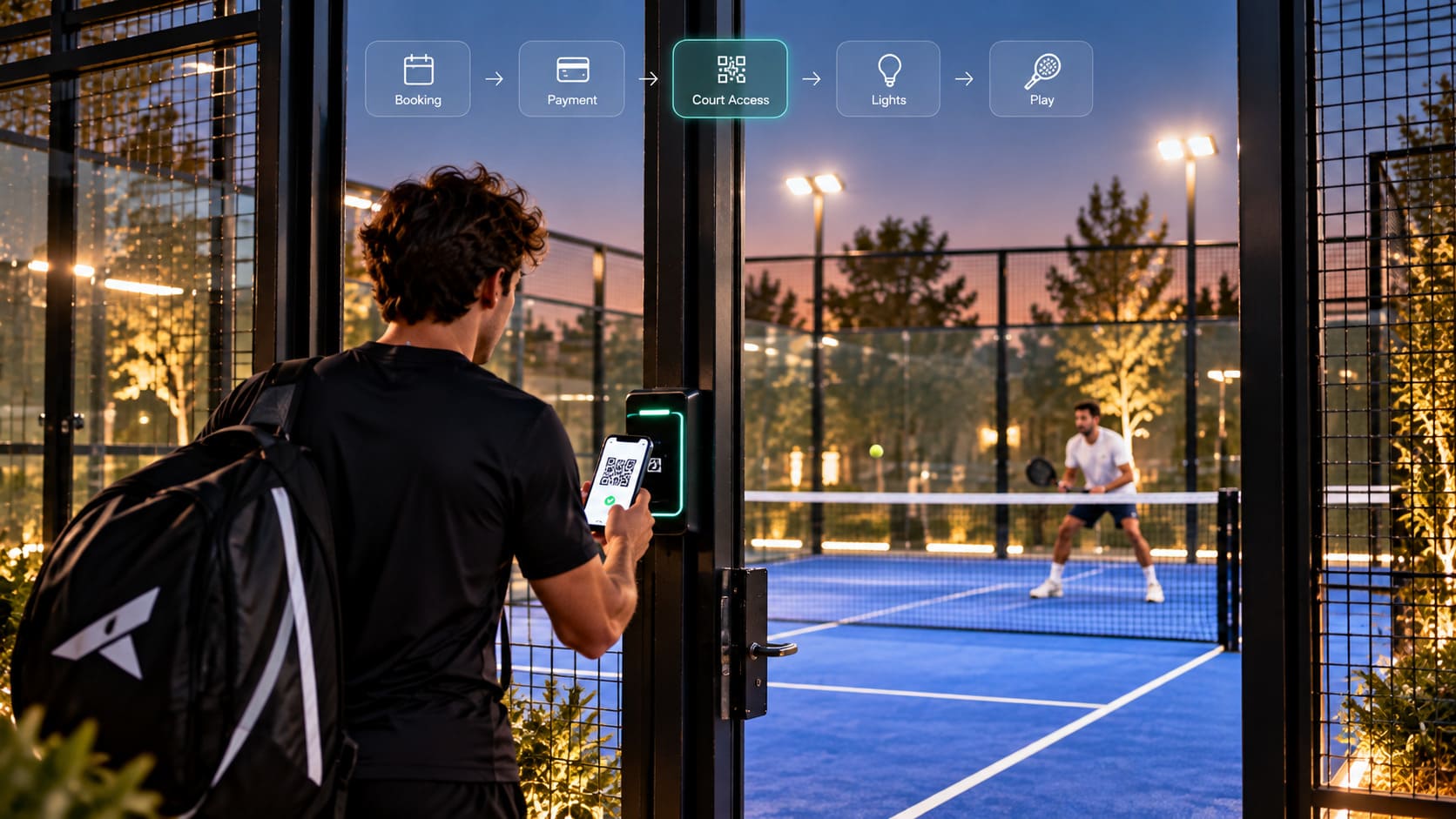
How Does Access Control Work for Padel Clubs? QR Codes, RFID, Smart Locks, Court Lighting, and Bookings Explained.

Oct 1, 2026
How to Drive Player Retention at Your Padel Club: Discover 10 Proven Strategies to Boost Court Bookings, Re-engage Members, and Grow Your Revenue.

See Doinsport in action
Ready to grow your padel or tennis club?
Join over 1,000 clubs that run on Doinsport. Book a free demo and see what it can do for your club.
We're here to help.



See Doinsport in action
Ready to grow your padel or tennis club?
Join over 1,000 clubs that run on Doinsport. Book a free demo and see what it can do for your club.
See Doinsport in action
Ready to grow your padel or tennis club?
Join over 1,000 clubs that run on Doinsport. Book a free demo and see what it can do for your club.
We're here to help.